
Vendor Management
Construction Vendor Management Built for Multisite Rollouts
Your rollout runs on outside firms: general contractors, architects, engineers, and a long tail of vendors. RolloutIQ™ keeps them in one directory you reuse across every project, where assigning a firm a role hands its team the right project access and pulls it back the day they roll off.
The Problem
Why Outside-Firm Data Scatters as You Scale
External-firm rosters tend to live in three places at once: a procurement spreadsheet, a contacts app, and the project manager's head. None of them is wired into the system of record, so the data goes stale and partner access goes unaudited.
The Same Firms, Retyped on Every Project
A PM who rotates through a dozen GCs, several architects, and a long tail of signage and millwork vendors re-enters the same firm on each new project, and the details drift out of sync as they go.
Partner Access Becomes Another Un-Audited Login
Giving an outside firm project access usually means another username in another tool nobody reviews, and when the firm rolls off the job, that access tends to linger.
The Wrong Contact Gets the Work
When the current contact lives in someone's phone, a bid invite or an RFI goes to the person who left the firm last year, and nobody notices until the thread stalls.
What RolloutIQ™ Does
What the Companies Directory Does
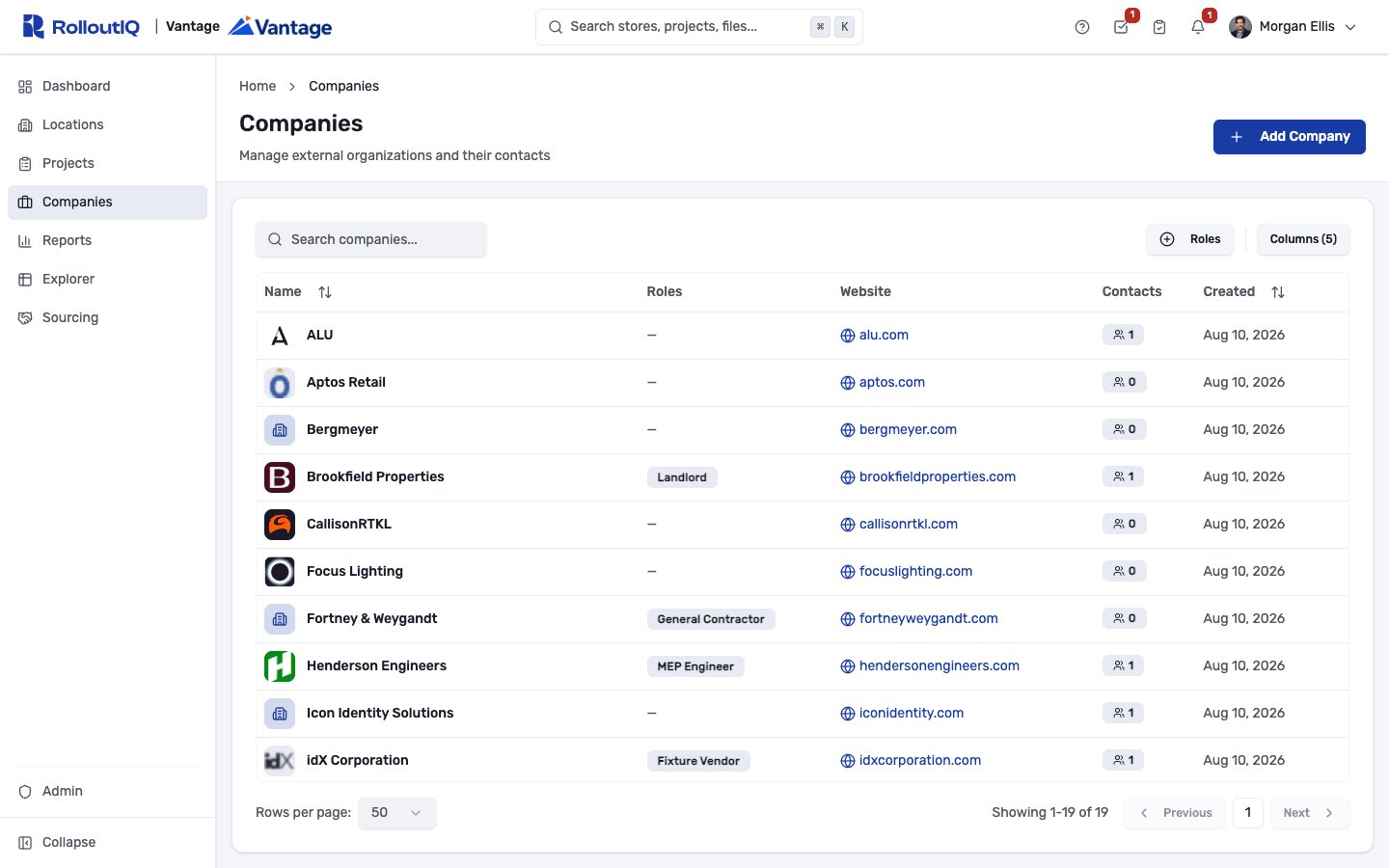
RolloutIQ™ treats every outside firm as one shared record: searchable, reused across projects, and the permission spine for the people at that firm who log in.
One Directory, Reused Everywhere
Every general contractor, architect, engineer, and vendor lives in one directory that the project team pickers, location pickers, and RFI assignee lists all read from. Add a firm once and reuse it on every project.
Search and Filter by Role
Find a firm by name, website, the city in its address, or even a contact's name or email. Filter by role to pull up every firm you currently use as a GC in one click.
Scoped Access That Follows the Assignment
Assign a company a role on a project and its people inherit exactly that project's access. Remove the firm and their access is cut the same day, with nothing left behind in the rest of your portfolio.
See Every Project a Firm Is On
Open any firm to see the projects it is assigned to, sortable and filterable like the main projects list and scoped to what you are allowed to see.
Auditable Vendor History
Every firm added, every role assignment, every access change, and every contact link is captured on an append-only audit log, so a procurement review happens with the full record in hand.
Sensitive Fields Stay Internal
External company users see the projects their firm is on and nothing else. Blackout patterns keep sensitive fields, like an RFI's root-cause classification, hidden from partners who lack the capability.
Highlights
Inside a Vendor Company
Every outside firm is one record you reuse across projects, with its people, the projects it is on, and its access all in one place.
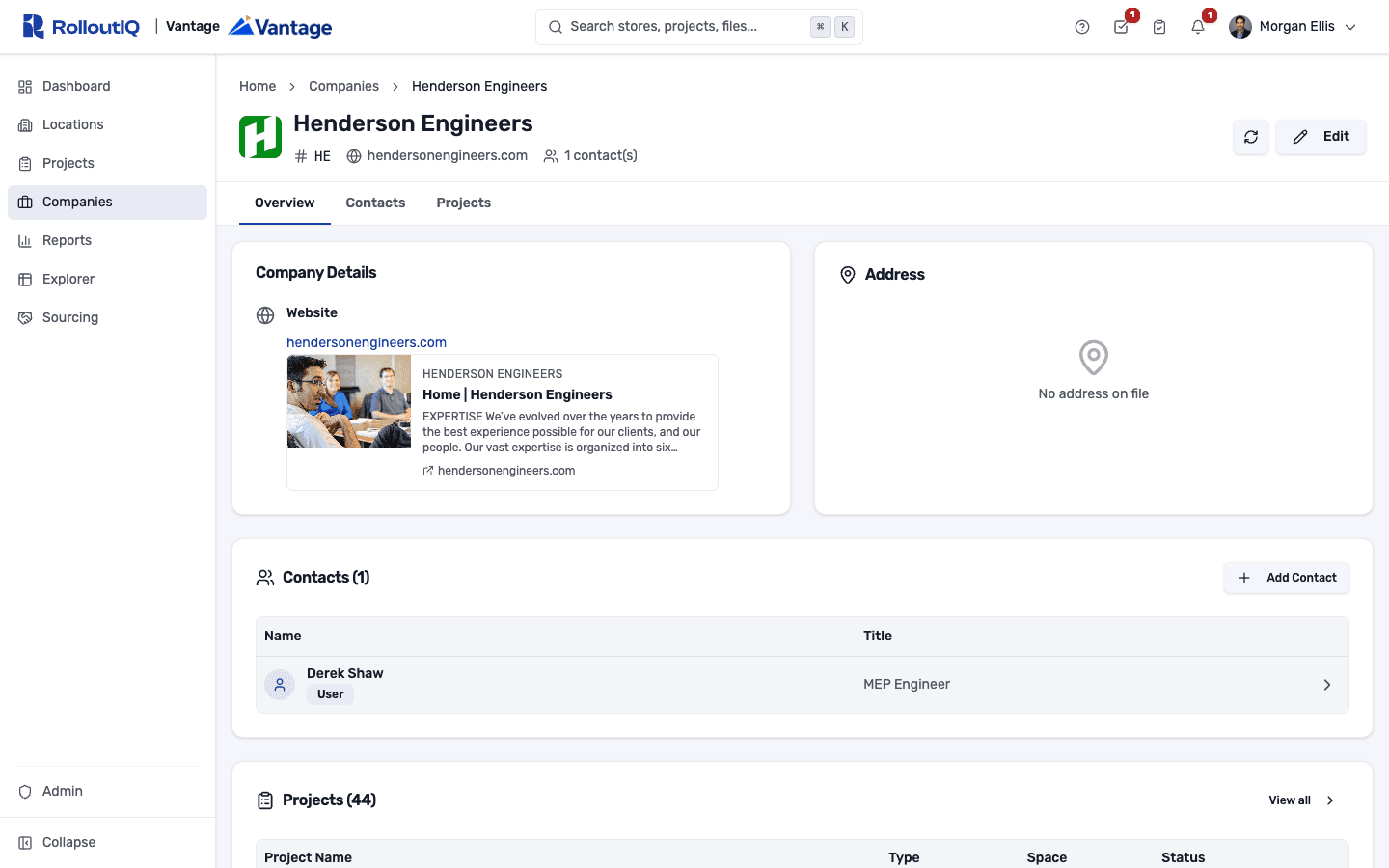
One company record, reused across every project
A vendor company carries its website and address, the people you work with there, and the projects it is scoped to. Assigning the company a role on a project grants its team scoped access automatically and pulls it the day they come off, with every change on an append-only audit log.
In Practice
How Multisite Teams Use It
Stop Retyping the Same Firms
Build the directory once and reuse each firm on every new project, so the GC you used in Dallas last quarter is one click away on the next store, with current contacts already attached.
Give Partners Access Without a Portfolio-Wide Login
An external GC's project manager logs in, sees only the projects where their firm is the GC of record, and works alongside your internal team without ever seeing the rest of the portfolio.
Keep the Record When a Firm Rolls Off
When a rep or a GC leaves the program, the firm's contacts, its project history, and the audit trail stay in your tenant, so nothing walks out the door with them.
FAQ
Vendor Management FAQ
Construction vendor management software keeps every outside firm and contact, including general contractors, architects, engineers, and vendors, in one directory you reuse across projects. RolloutIQ™ makes that directory the permission spine too: assign a firm a role on a project and its team inherits scoped access, pulled the day they come off, all on an audit trail.
Companies and contacts live in a single directory, searchable by name, website, city, or contact, and reused across every project. Assigning a company a role on a project grants its team scoped access automatically and pulls that access the day they come off.
Yes. People at a vendor firm can sign in, and their visibility is scoped to the projects where their company holds a role. They see those projects and nothing else in your portfolio, and tenant admins control what each role, such as GC, architect, or supplier, is allowed to do.
Removing a firm from a project cuts its team's access to that project the same day. The firm's record, its contacts, and the audit trail of who did what stay in your directory, so you keep the history even after the engagement ends.
Ready to Put Every Firm in One Place?
See how RolloutIQ™ replaces per-project vendor spreadsheets with one directory of every outside firm, scoped access for their teams, and an audit trail you keep. Book a demo with our team.